All tools / Slides and presentations
Presenti
Presenti turns a prompt, an outline, or a Word or PDF file into a finished, professionally designed slide deck in under a minute.
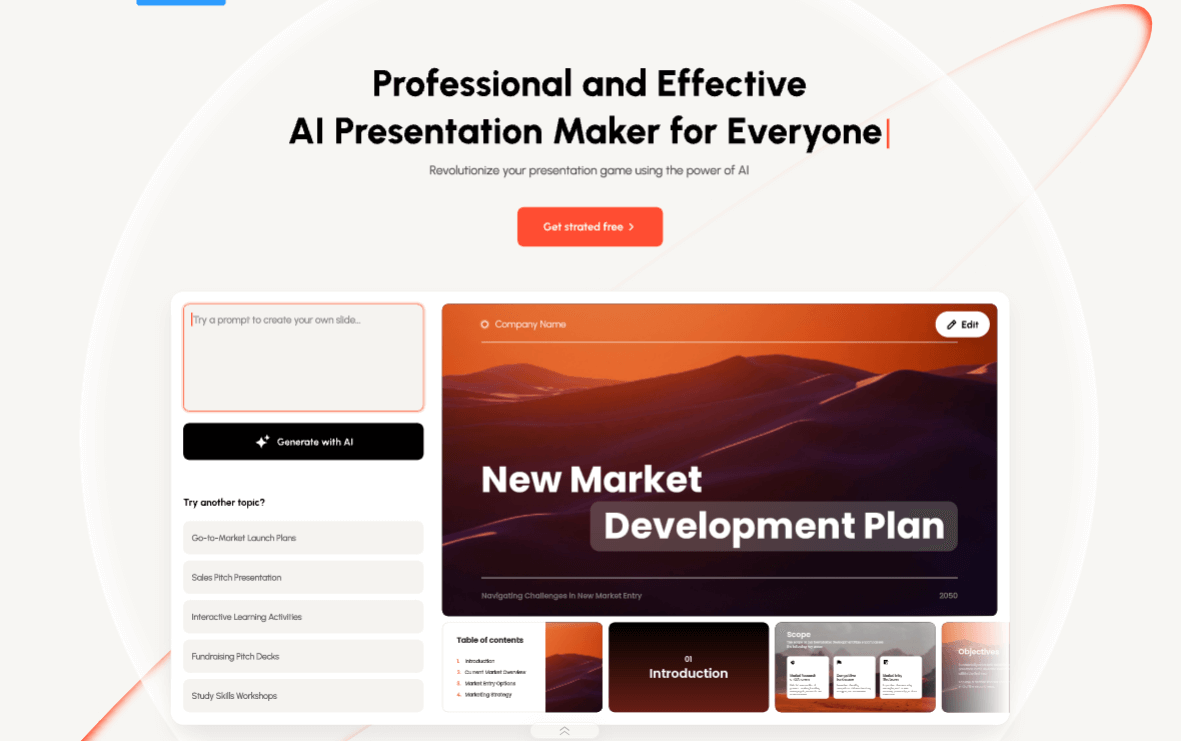
The free path: You paste one prompt and walk away with a real, editable slide deck you can present or send, on a genuinely free plan with no credit card and no watermark.
Pricing
You paste one prompt and walk away with a real, editable slide deck you can present or send, on a genuinely free plan with no credit card and no watermark. Paid tiers add bigger decks and more AI runs: Plus is $6 per month, Pro is $8 per month, and Ultra is $16 per month, all billed annually (regular pricing runs $10 to $40 per month).
As reported in our 29 Aug 2026 issue.
Try it in 3 steps
- Go to presenti.ai and either type a prompt ("a 10-slide Q3 sales review for my team") or upload a Word doc or PDF you already have.
- Click Generate with AI, then pick one of the layout themes it proposes.
- Edit any slide inline, then export the finished deck to PowerPoint (.pptx) or PDF. No watermark on the free plan.
How it scored
The screen every Tool of the Week has to pass (1 to 5).
| Hands you a real file | 5/5 |
| Easy to try free | 5/5 |
| Useful every week | 4/5 |
| New or updated recently | 4/5 |
Where we covered it
- 29 Aug 2026, Tool of the Week: Can Google Book Your Next Trip Now?
More slides and presentations tools
- Genspark
You describe the outcome you want, a slide deck, a spreadsheet with the analysis already done, a research brief, a formatted doc, and Genspark's agent builds the finished file, then lets you refine it by chatting.
Tool of the Week · last covered 25 Jul 2026
- Presentations.ai
You describe a topic, or paste a document, a PDF, or your company URL, and its AI assistant (Clip-E) builds a complete, on-brand slide deck for you: structure, written content, and design in one pass.
Tool of the Week · last covered 18 Jul 2026
Get the one tool worth trying each week.
One free AI tool we actually tried, what it hands you, and whether the free plan is enough. Plus the week's AI news in plain English. About a 4 minute read, every Saturday.
Subscribe free