UPDF
Best for summaries, outlines and key numbers from long PDFs.
UPDF is a lightweight PDF app for Windows, Mac, iOS, Android, and the browser, with a set of AI agents that read a document and hand you back something usable: a plain-English summary, a clickable outline of every section, the key numbers pulled out, or a translated copy. You keep control the whole time. Its Copilot proposes the action and you approve it, which is exactly the "let it draft, keep the final click" idea from up top, made concrete.
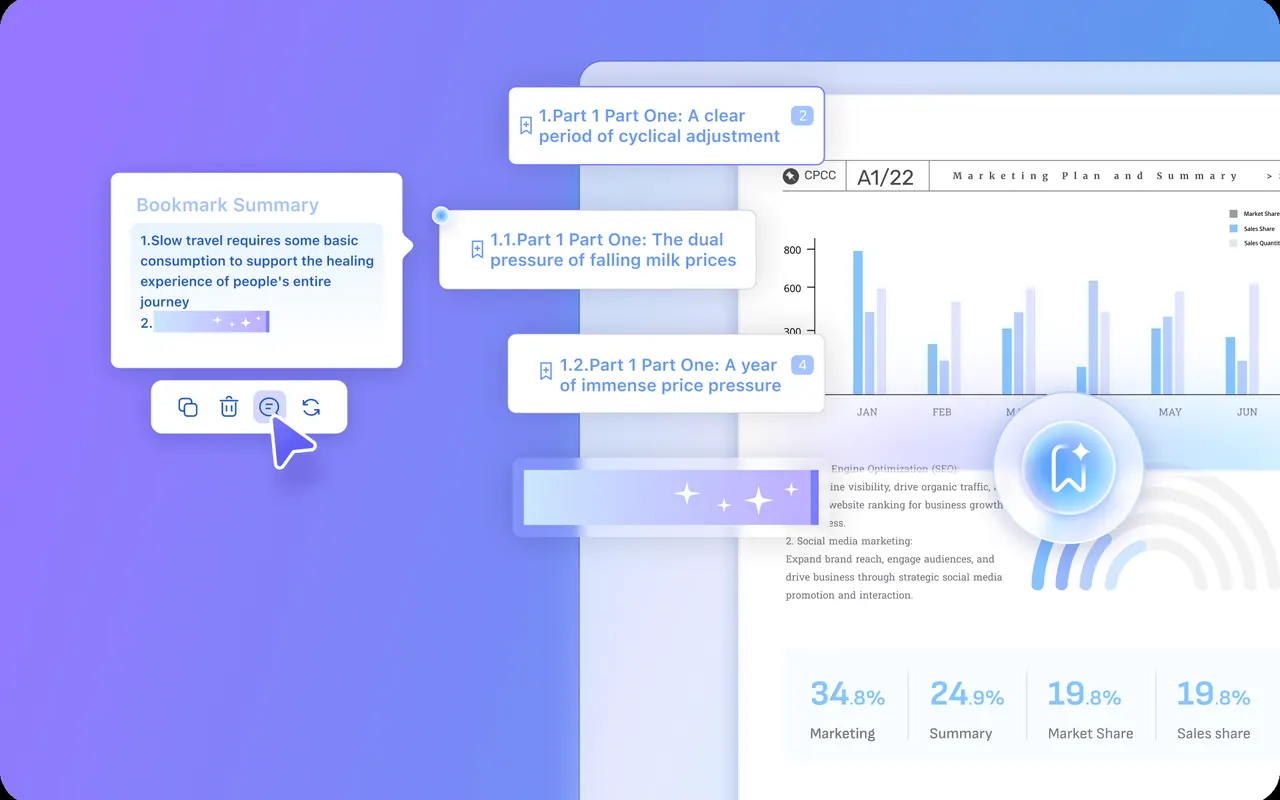
The free path
Free ($0, no credit card) gives you the reader plus a capped run of the AI agents, enough to summarize and outline several documents (roughly 100 AI questions across 5 files; saved edits carry a small watermark on the free tier).
As reported in our 22 Aug 2026 issue.
How to get the most out of it
Try it in 3 steps
- Open UPDF (desktop or the browser version at updf.com), open your PDF, and click the AI panel.
- Ask an agent for what you need: "summarize this in 8 bullets," "build me an outline of every section," or "pull out every number and date." It reads the file and hands back the result.
- Copy the summary or outline straight into your notes, email, or deck, and keep going.
Why we picked it
UPDF is having a moment as the go-to lightweight alternative to Adobe Acrobat, covered that week as the "agentic era" PDF editor. Its ten AI agents rolled out earlier this year, so this is not a brand-new launch, but it is the version most office pros have not tried, and it does the one thing that matters: you drop in a 40-page report, a contract, or a whitepaper, and about a minute later you walk out with a clean summary and a section-by-section outline you can paste into your notes or an email, on a genuinely free tier with no credit card.
From our 22 Aug 2026 issue.
How it scored
Every Tool of the Week is scored 1 to 5 before we pick it. It has to score at least 4 on the first two. How we test
- Hands you a real file4/5
- Easy to try free4/5
- Useful every week5/5
- New or recently updated3/5
Where we covered it
- 22 Aug 2026 · Tool of the WeekOpenAI Just Hit the Brakes on Its Own AI
Get the one tool worth trying each week.
One free AI tool we actually tried, what it hands you, and whether the free plan is enough. Plus the week's AI news in plain English.
Free. Every Saturday. About a 4 minute read.