ML Clever
Best for A structured report or brief from your own files.
ML Clever turns a short prompt plus your own files into a structured, editable business document, a report, a brief, or a one-pager, that you refine section by section.
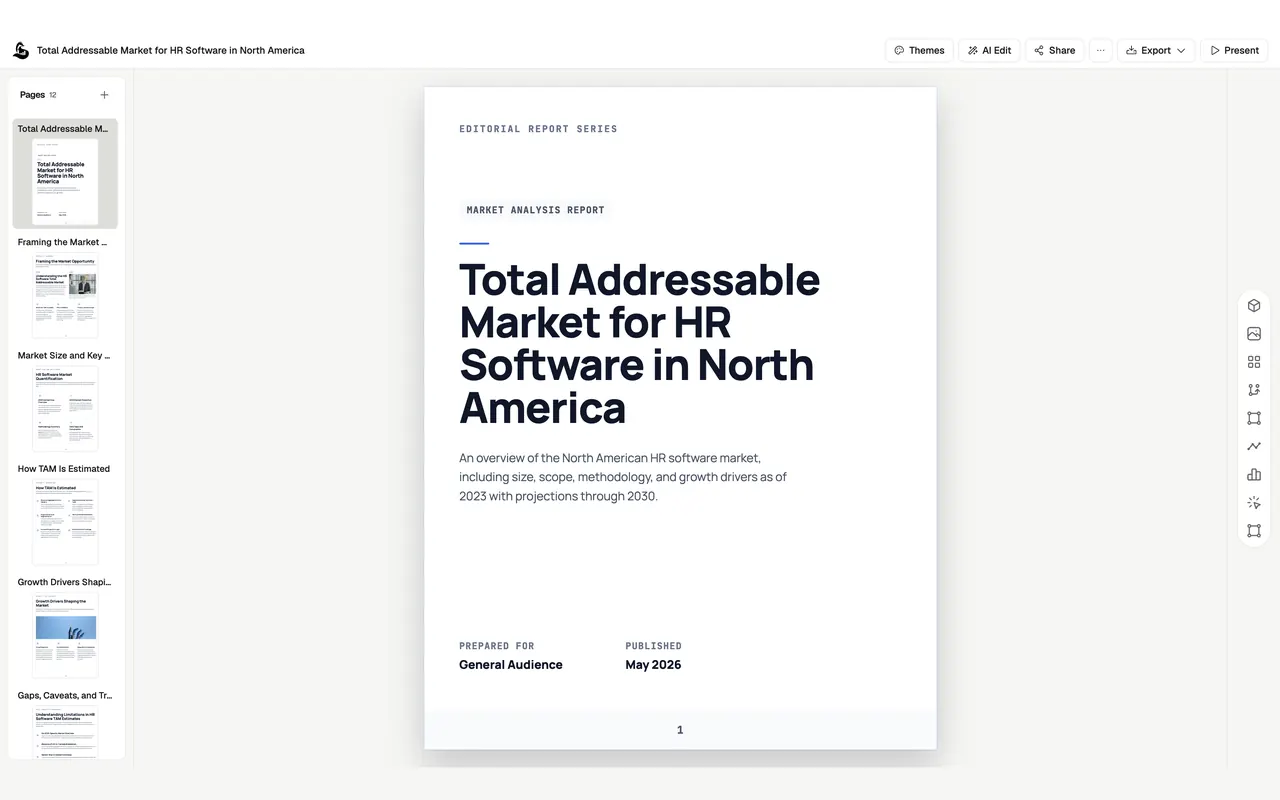
The free path
You paste one prompt, add your files, and walk back a structured business document you can edit and share, on a genuinely free plan with no credit card. The free Starter plan generates and edits documents daily; PDF export and longer 12 to 24 page documents are on the paid Creator plan at $20 per month, with a Studio plan at $100 per month for teams.
As reported in our 12 Sep 2026 issue.
How to get the most out of it
Try it in 3 steps
- Go to mlclever.com, describe the document you need ("a 2-page competitor brief on our top 3 rivals"), and upload any notes, data, or files you want it to pull from.
- Choose the Document format, let it research and generate a structured first draft, then edit any section inline and apply a theme.
- Share it with a link when it is ready, or upgrade to export it as a PDF.
Tips that use ML Clever
Why we picked it
Instead of handing a whole task to an agent and hoping, you let ML Clever research your sources and draft the full document, then you stay in control of every section before it goes to anyone. The AI does the blank-page work; the judgment stays yours.
From our 12 Sep 2026 issue.
How it scored
Every Tool of the Week is scored 1 to 5 before we pick it. It has to score at least 4 on the first two. How we test
- Hands you a real file5/5
- Easy to try free4/5
- Useful every week4/5
- New or recently updated4/5
Where we covered it
- 12 Sep 2026 · Tool of the WeekWould You Let Meta Spend Your Money?


Get the one tool worth trying each week.
One free AI tool we actually tried, what it hands you, and whether the free plan is enough. Plus the week's AI news in plain English.
Free. Every Saturday. About a 4 minute read.