Napkin AI
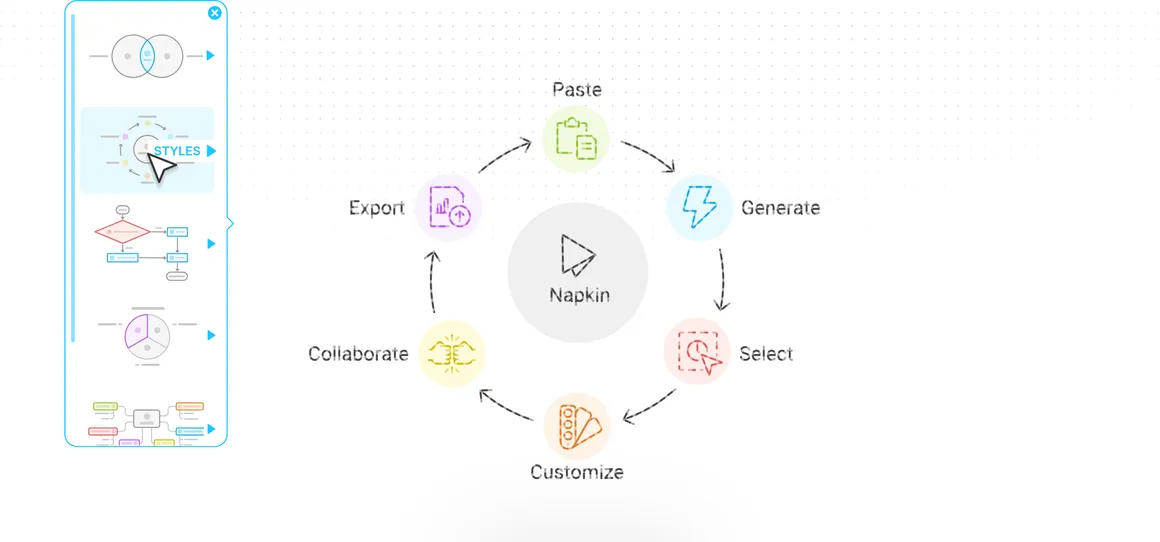
Napkin turns plain text into clean, professional visuals. Paste a paragraph, a list of steps, or a rough outline, highlight it, and Napkin generates editable diagrams, flowcharts, process maps, timelines, and infographics you can restyle and export in seconds. No design skill, no blank canvas.
The free path: Free ($0, no card) gives you 500 AI credits a week, unlimited editing, unlimited imports from PPT, DOC, PDF, and Markdown, and unlimited PNG and PDF export (free visuals carry a small Napkin mark). You walk out with a finished diagram as a PNG or PDF, free, no credit card.
Pricing
Free ($0, no card) gives you 500 AI credits a week, unlimited editing, unlimited imports from PPT, DOC, PDF, and Markdown, and unlimited PNG and PDF export (free visuals carry a small Napkin mark). Plus is $9 per person a month and Pro is $22 per person a month, adding more credits, SVG and PowerPoint export, custom branding, and no mark. Annual billing saves 25%.
As reported in our 8 Aug 2026 issue.
Try it in 3 steps
- Go to napkin.ai and paste your text (bullet points, a process, or a paragraph you want to visualize) into a new Napkin.
- Highlight the part you want to illustrate and click the visual icon. Napkin generates several options (flowchart, timeline, comparison, mind map). Pick the one that fits.
- Tweak the colors, icons, and labels to match your brand, then export as a PNG or PDF and drop it straight into your deck, document, or email.
How it scored
The screen every Tool of the Week has to pass (1 to 5).
| Hands you a real file | 5/5 |
| Easy to try free | 5/5 |
| No setup, GUI only | 5/5 |
| Useful every week | 4/5 |
| New or updated recently | 4/5 |
Where we covered it
- 8 Aug 2026, Tool of the Week: OpenAI's Screenless Speaker, and 3 Tools to Try
More design and images tools
- Recraft
Recraft is an AI design tool that turns a text prompt into real, downloadable graphics: logos, icons, illustrations, social banners, and product mockups, including true SVG vectors you can edit in Figma or Illustrator.
Tool of the Week · last covered 5 Sep 2026
- Moda
An AI design agent that creates fully editable presentations, social posts, ads, and visual assets on a layered canvas.
Tool of the Week · last covered 28 Mar 2026
- Adobe for ChatGPT
Adobe for ChatGPT: a new free plugin drops 70 plus Adobe tools (Photoshop, Firefly, Premiere, Acrobat, Express) straight into ChatGPT; type @Adobe, describe what you want, and it routes the request to the right app, with no Creative Cloud subscription needed to start.
Quick Pick · last covered 8 Aug 2026
- Google Stitch
New AI design canvas from Google Labs that turns text or voice prompts into multi-screen UI prototypes with exportable code.
Quick Pick · last covered 4 Apr 2026
- Shopify Tinker
Free mobile app bundling 100+ AI tools from OpenAI, Google, and Anthropic.
Quick Pick · last covered 4 Apr 2026
Get the one tool worth trying each week.
One free AI tool we actually tried, what it hands you, and whether the free plan is enough. Plus the week's AI news in plain English. About a 4 minute read, every Saturday.
Subscribe free