Julius
Best for julius is an AI data analyst you talk to in plain English.
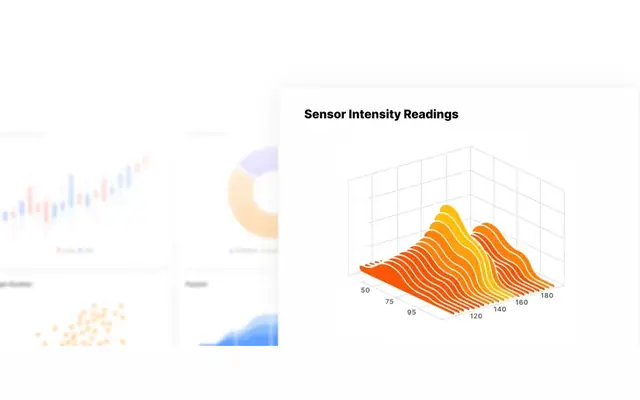
Julius is an AI data analyst you talk to in plain English. Upload a spreadsheet or paste a table, ask a question the way you would ask a colleague, and it runs the analysis and hands back a chart or a short written answer. No formulas, no pivot tables, no code.
The free path
Free plan, no credit card, 15 messages a month. You walk away with a finished chart built from your own numbers, plus a plain-English read on what it shows, on a free plan with no card. Pricing: Free plan, no credit card, 15 messages a month.
As reported in our 10 Oct 2026 issue.
How to get the most out of it
Try it in 3 steps
- Go to julius.ai and start for free, no card. Upload a spreadsheet or CSV, or paste a table straight in.
- Ask in plain English: "Which three products drove most of our Q3 revenue, and show me a bar chart." Julius cleans the data, runs the numbers, and draws the chart in seconds.
- Refine by chatting: "make it a pie chart," "add last year for comparison," "now summarize the trend in two sentences." Then download the chart to drop into a slide or report.
Why we picked it
The theme of the week is AI that hands you a finished thing instead of a wall of text, and it is not only chatbots. Julius is the version for your numbers. It is an established tool rather than a this-week launch, but most people who live in spreadsheets have never tried the one move it is built for: hand the file to an AI and simply ask. If GPT-6 can build you a calculator, Julius builds you the chart your Monday report actually needs.
From our 10 Oct 2026 issue.
Where we covered it
- 10 Oct 2026 · Tool of the WeekChatGPT Just Started Building You Tools

Get the one tool worth trying each week.
One free AI tool we actually tried, what it hands you, and whether the free plan is enough. Plus the week's AI news in plain English.
Free. Every Saturday. About a 4 minute read.