Circleback
Best for call notes and action items, written for you.
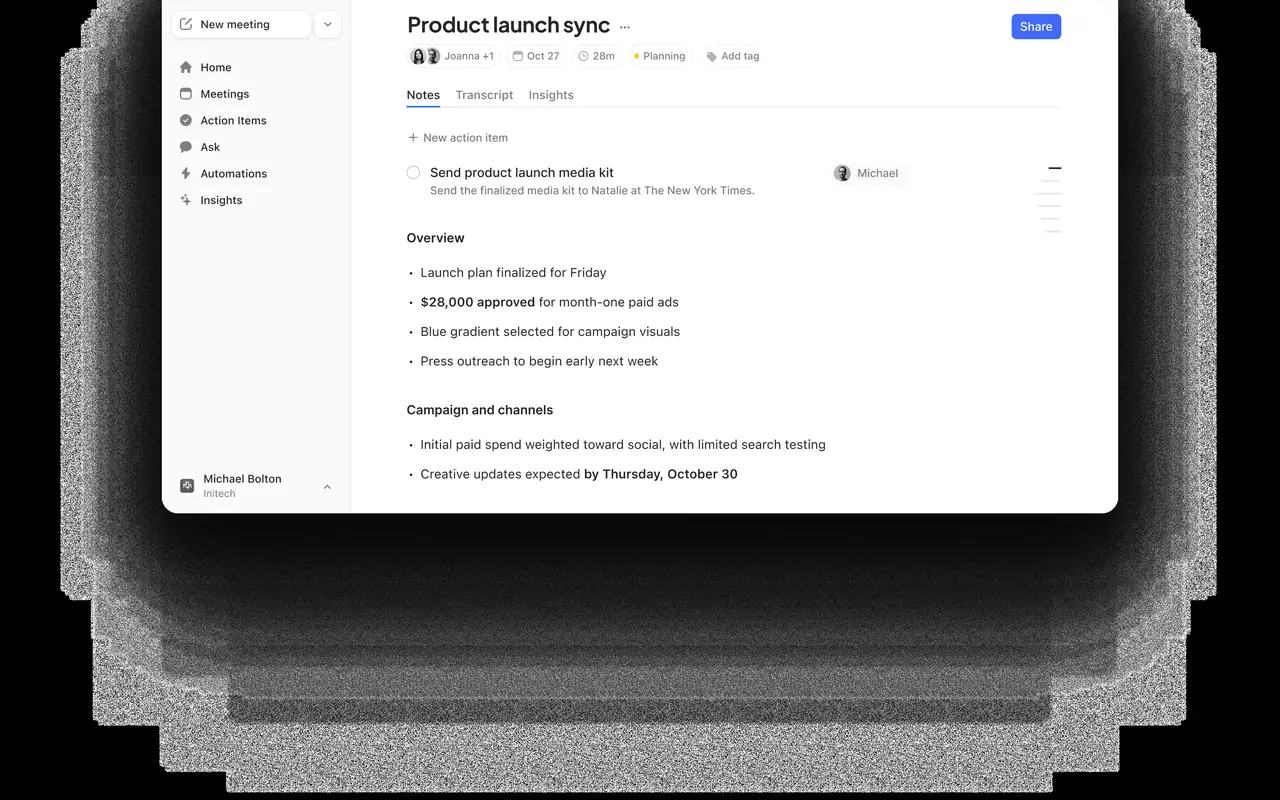
Circleback is an AI notetaker that joins your video calls, writes the notes and action items for you, and now also captures whatever gets shared on screen.
What it costs
Free to try. Paid plans start at $20.83/user/month for Individual (billed annually) with unlimited meetings, Team is $25/user/month, and Enterprise is custom.
As reported in our 27 Jun 2026 issue.
How to get the most out of it
Try it in 3 steps
- Sign up at circleback.ai and connect your Google or Microsoft calendar. It is one click, with nothing to install for the web version.
- Leave auto-join on so Circleback shows up to your scheduled Zoom, Meet, or Teams calls. You just attend the meeting as normal.
- After the call, open the note for the summary, the auto-assigned action items, and now the on-screen details. Search across every past meeting, or push the action items into your other tools.
Tips that use Circleback
Why we picked it
On May 28 it shipped screen-sharing capture. This closes the most annoying gap in AI notetakers: they only ever heard the conversation, so the number on the slide, the dashboard everyone reacted to, the timeline buried in a shared doc all vanished from the recap. Circleback now reads what is shared on screen and folds those details into your searchable notes, not just the talk track.
From our 27 Jun 2026 issue.
How it scored
Every Tool of the Week is scored 1 to 5 before we pick it. It has to score at least 4 on the first two. How we test
- Useful every week5/5
- New or recently updated5/5
Where we covered it
- 27 Jun 2026 · Tool of the WeekWhat Happens When AI Joins Your Slack?


Get the one tool worth trying each week.
One free AI tool we actually tried, what it hands you, and whether the free plan is enough. Plus the week's AI news in plain English.
Free. Every Saturday. About a 4 minute read.